

Billing, profile and settings
Manage your agency plan, payment methods, and company information.
Overview
The billing and profile section allows you to control your subscription, monitor usage costs, and update administrative information. Access these settings from your user menu in the WhatSnap Manager.
- Agency Admin permissions
- Active WhatSnap subscription
Plan and Billing management
Manage your subscription tier and financial overview.
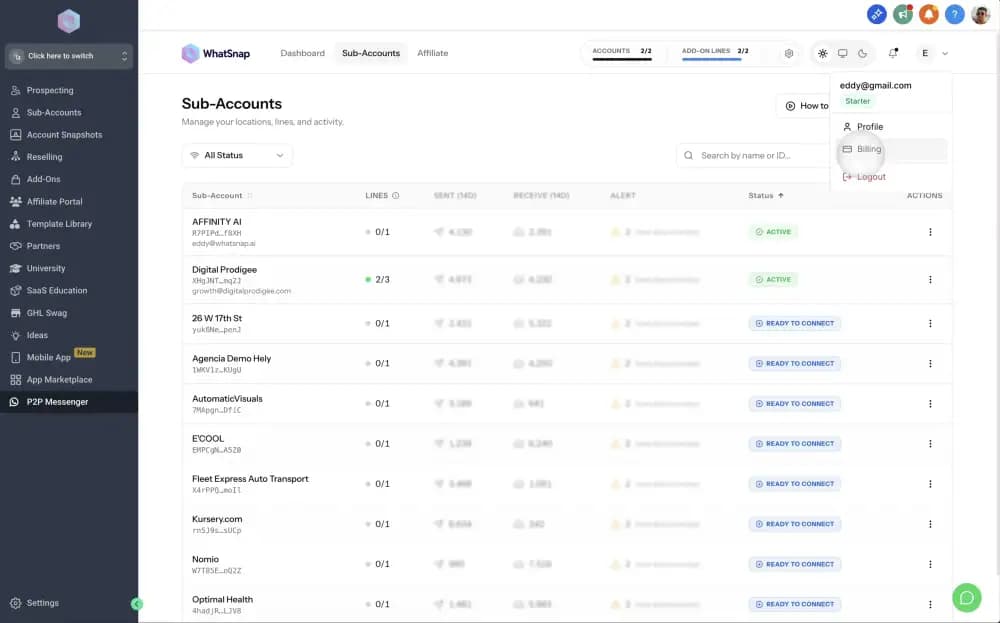
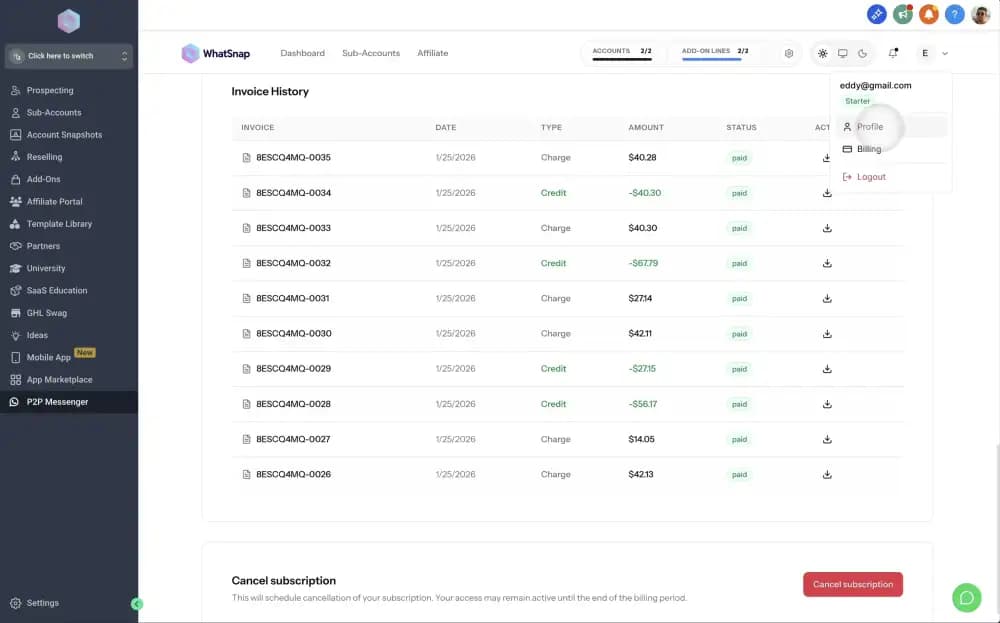
Access the billing menu
Click your user profile avatar in the top-right corner and select Billing from the dropdown menu.
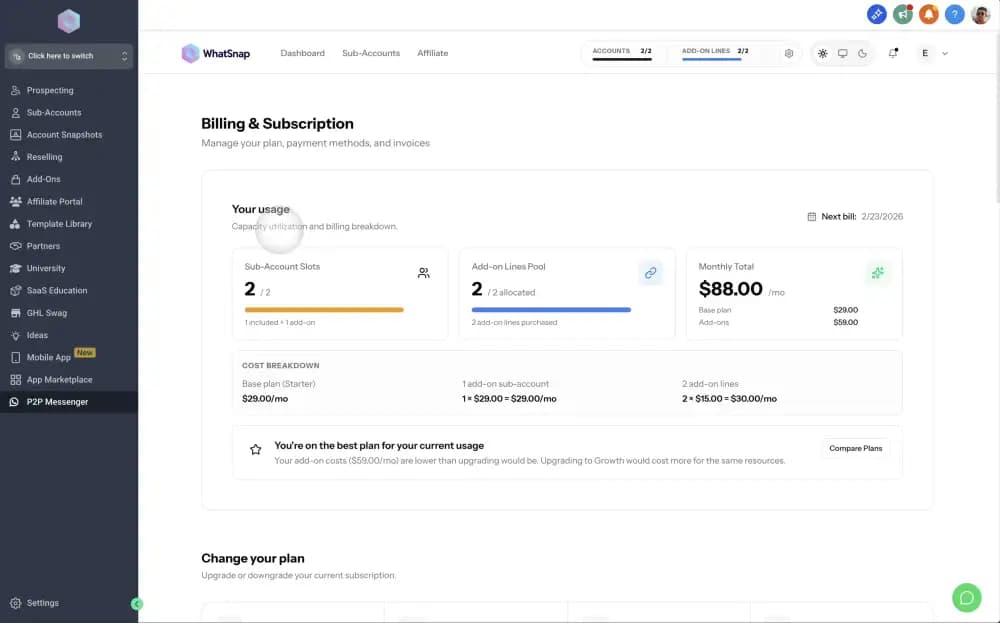
Review usage and costs
The Billing page provides a summary of your current plan, sub-account usage, and a breakdown of your next invoice.
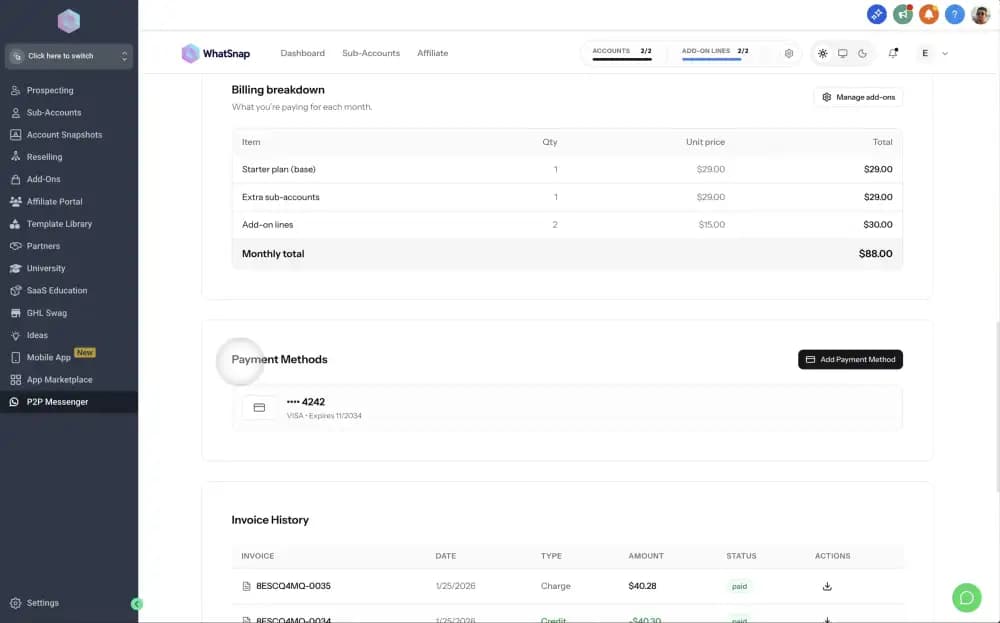
Update payment methods
Add or update your credit card information in the Payment Methods section. You can set a default card for automatic renewals.
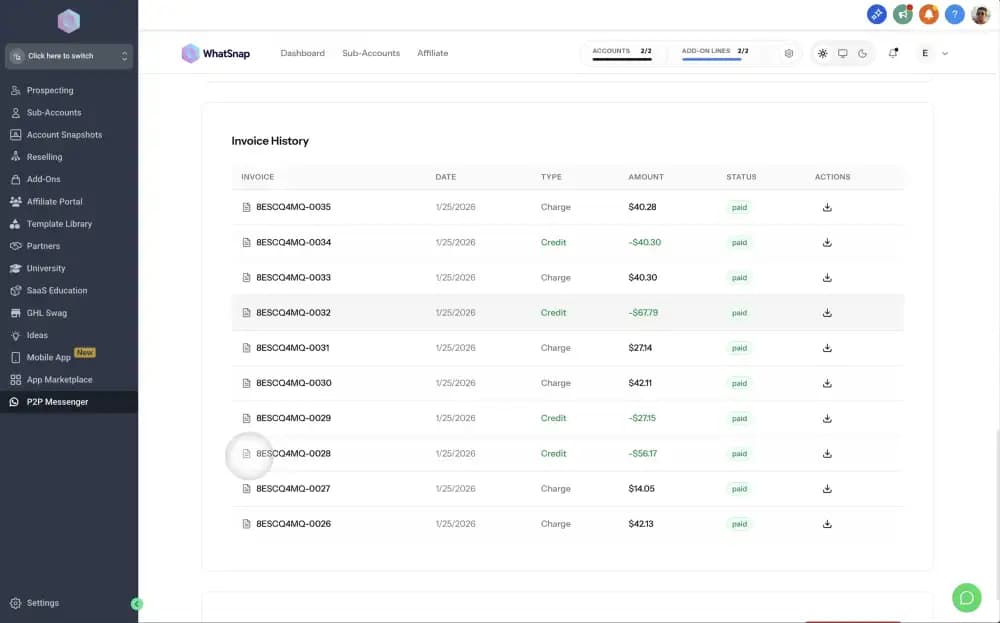
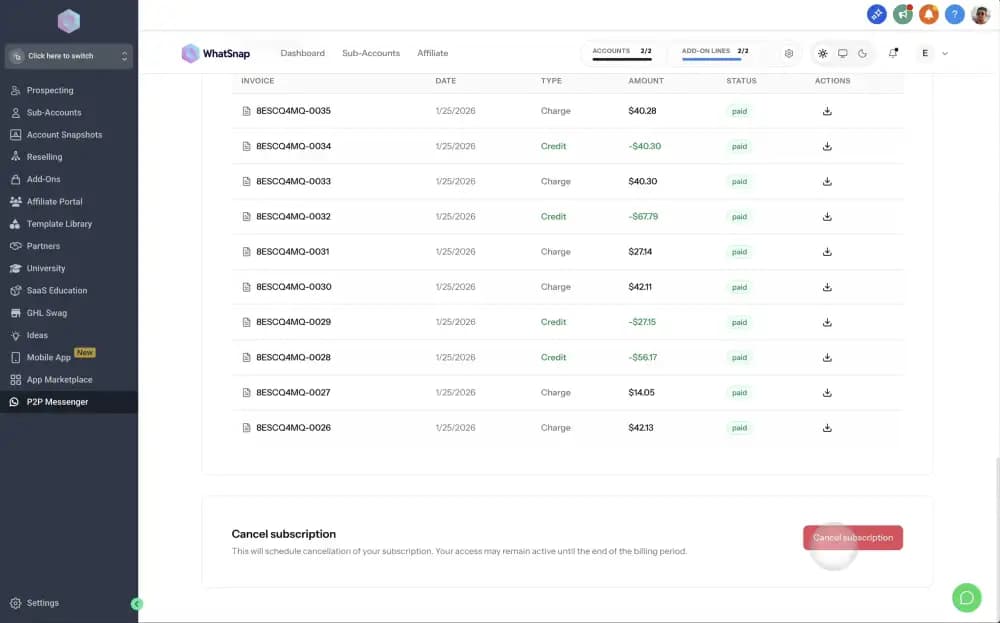
Manage invoice history
Download PDF copies of past invoices and monitor the status of your payments in the Invoice History section.
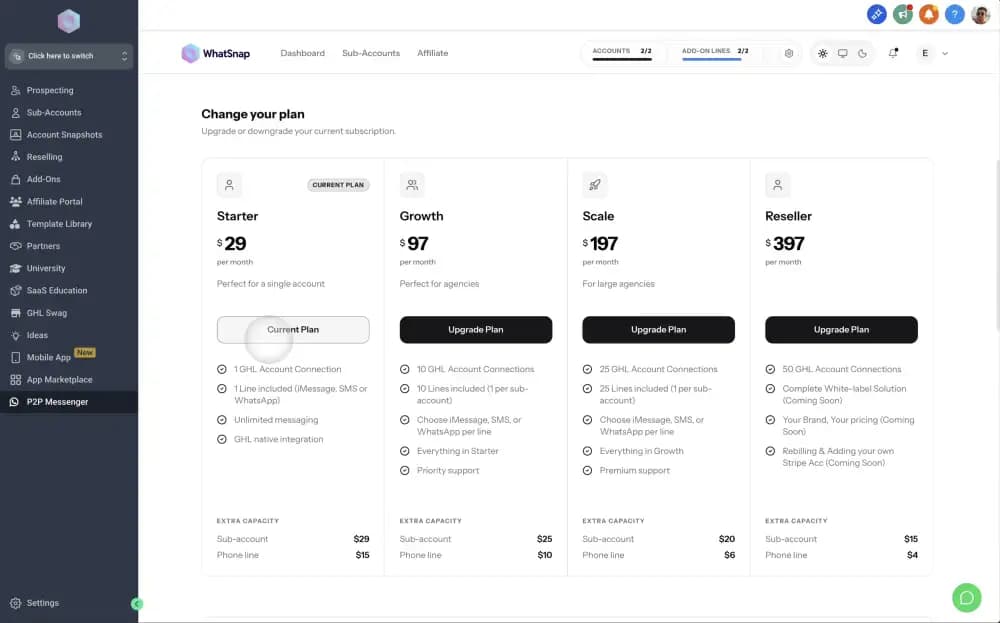
Change or upgrade your plan
In the Change Your Plan section, you can upgrade to a higher tier or downgrade your subscription as your agency grows. Costs are adjusted automatically for the next billing cycle.
Cancel your subscription
If you wish to terminate your service, you can do so from the bottom of the Billing page. While we'll be sad to see you go, you can cancel at any time without hidden fees.
Profile and Company settings
Keep your agency information up to date.
Access profile settings
From the user menu, click on Profile Settings to update your account details.
Update company info
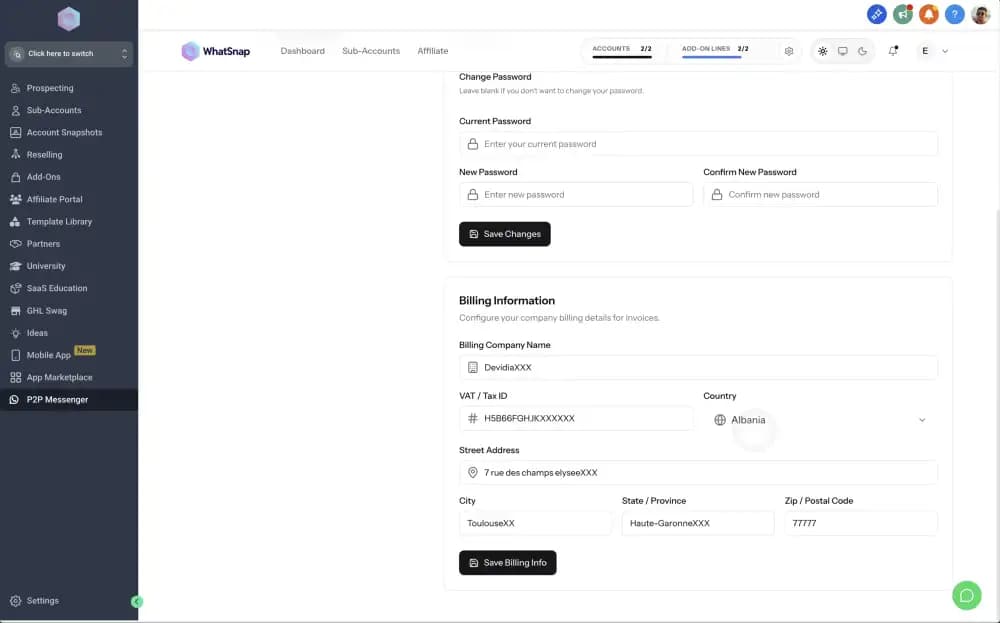
Modify your company name and account security settings. This name is used for administrative correspondence.
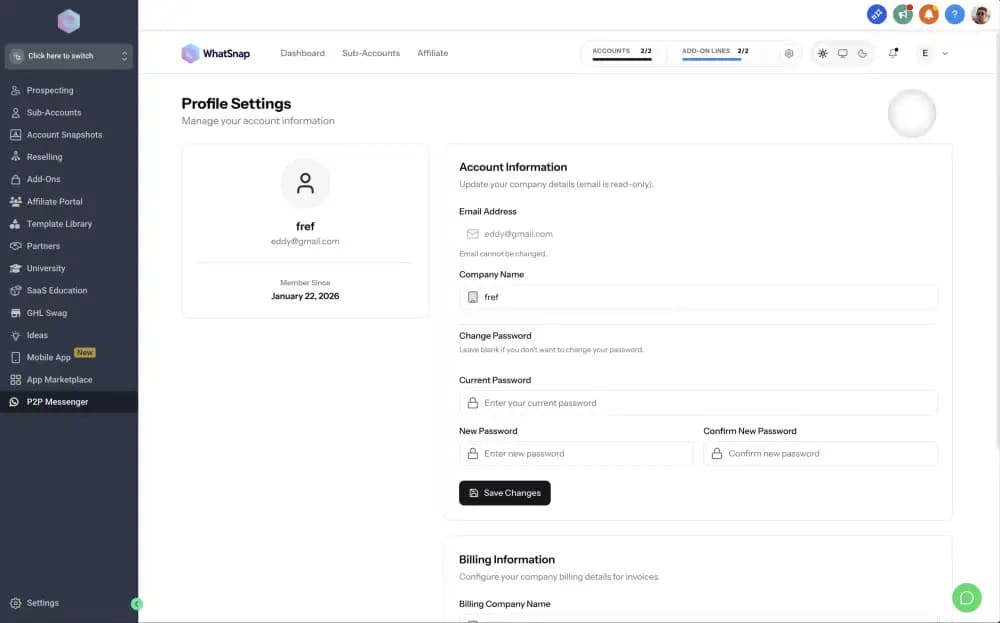
Edit invoice details
Update the billing address and tax information that will appear on your generated invoices.
Regularly review your Billing Breakdown to ensure you are only paying for the sub-account slots and add-on lines your agency is actively using.
Related
Last updated on February 6, 2026